Skip to content

What are the differences between our licences?

Content manager (CMS)
Unlimited technical support
Number of users
User and permission management
Multiplatform version
Data hosting on Microsoft Azure
Knowledge base and online help
Free software updates
Remote monitoring of digital display network and notifications
Image bank included
Screen layout editor (multizone display)
Clip editor (calendar, transition, priority, duration)
Individual or group screen management
Screenon/off schedule
Bandwidth
Data storage
Live preview
Playlist
Time and date
RSS feeds
Weather forecast
YouTube and Vimeo
Images and videos
Screen saver
Microsoft Teams
Web sharing
Single sign on (SSO)
Multilingual display module
OAuth2/OpenID (e.g. ACTIVE DIRECTORY)
Advanced distribution module (players, sites, groups and tags)
Message module
Template bank included
Emergency message
Facebook
Live stream
Content template editor and display rules
Input source (television, camera, etc.)
Media RSS
User role management
Timeline
Display synchronization
Google Slide, Google Docs and Google Sheets
Content modification audit
Analytics and proof of display
Web page displays
Wayfinding and booking calendar
Outlook calendar (room management)
External data integration (XML, JSON, XLS, CSV, API)
Charts and tables- KPI
Screen and touch screen kiosk interactivity
Real-time passenger information (GTFS-RT)
Dynamic staking – parking
Interactive wayfinding
On-premise hosting available
ITESlive API (data and control)
Google My Maps
Transport message module

The grid is for informational purposes only; recent modifications may have been made and the grid may not yet reflect these changes.

FAQ

When will my licence be activated?
Your licence will be activated as of the date you sign your ITESlive agreement and consent to the terms and conditions of use.
What period does the ITESlive software agreement cover?
All ITESlive licences are for 12 months, whether you pay monthly or yearly.
Is it possible to have different types of licences in my display network?

It is only possible to combine Pro and Premium license types. For example, you may have screens using Premium licenses and screens using Pro licenses.

* It is not possible to combine the Starter license with other types of licenses.

How many licences do I need?

Display network

Generally speaking, one ITESlive licence is required for each media player, and one player is required for each screen. Note that the player can be connected to the screen or external.
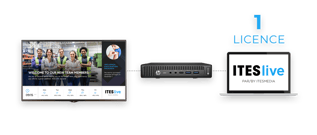
licences

Some external media players have more than one video output. If so, note that a licence is required for each of your screens.
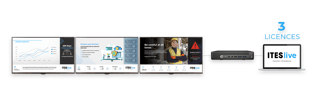
laptop2

Note: If you show exactly the same content on all of your screens, it doesn’t change anything in terms of the number of licences required.

Video wall

If you use several screens to create a larger display surface, you need only one licence. However, if you show different content on each of the screens in the video wall, you will need multiple licences.


Can I purchase the necessary equipment directly from ITESMEDIA?

ITESMEDIA can direct you towards a partner so you may complete the purchases for your digital signage project. This article outlines the equipment you need.

You can also use your own equipment if you prefer.

What kind of equipment do I need for a digital display setup?

A digital display setup requires a monitor and a media player. Please note that ITESlive can run both on a monitor with an integrated player and on an external media player.

Monitor

Media player

ITESMEDIA is compatible with digital signage players running on Android, Windows, BrightSign, and Linux.

For digital signage monitors equipped with a SoC (System on a Chip), the use of an external media player is not required.

To learn about the minimum requirements for each type of player, please refer to the article
What are the minimum requirements

Talk to one of our advisors to find out which solution best suits your needs.

Interested in learning more about the other components of a digital display ecosystem? Read on!

What are the minimum requirements?
ITESlive is a multi-platform software. Learn more about the minimum requirements for each platform: ITESlive – Minimum Requirements

Our features in details

ITESLIVE-1

1. CONTENT MANAGER (CMS)

INCLUDED WITH: STARTER, PRO AND PREMIUM
2. UNLIMITED TECHNICAL SUPPORT

INCLUDED WITH: STARTER, PRO AND PREMIUM
editor4

3. NUMBER OF USERS

INCLUDED WITH: STARTER, PRO AND PREMIUM
Number of users per plan
Starter: 5 users
Pro: 10 users
Premium: unlimited

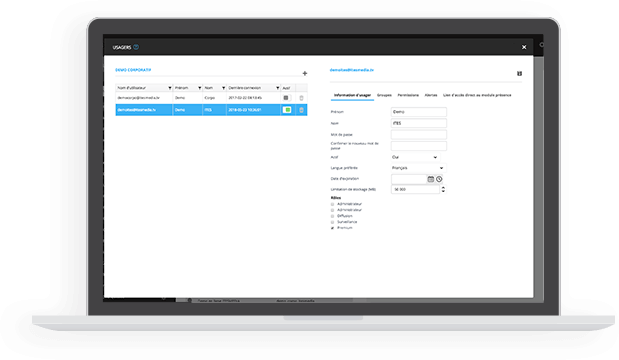
The image below shows the page to manage users and permission

editor4

4. USER AND PERMISSION MANAGEMENT

INCLUDED WITH: STARTER, PRO AND PREMIUM

5. MULTIPLATFORM VERSION

INCLUDED WITH: STARTER, PRO AND PREMIUM

6. DATA HOSTING ON MICROSOFT AZURE

INCLUDED WITH: STARTER, PRO AND PREMIUM

Knowledge

7. KNOWLEDGE BASE AND ONLINE HELP

INCLUDED WITH: STARTER, PRO AND PREMIUM

https://support.itesmedia.tv/

8. FREE SOFTWARE UPDATES

INCLUDED WITH: STARTER, PRO AND PREMIUM

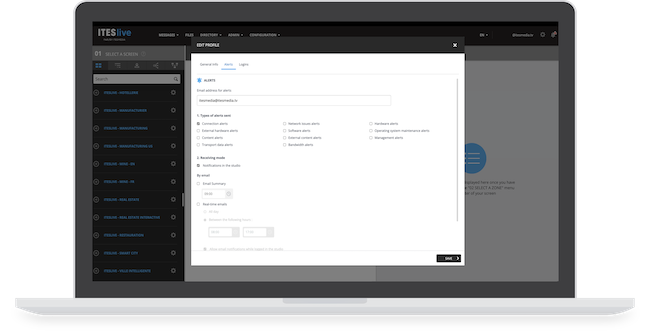
The image below shows the page to edit profile and manage email notifications

editor3

9. REMOTE MONITORING OF DIGITAL DISPLAY NETWORK AND NOTIFICATIONS

INCLUDED WITH: STARTER, PRO AND PREMIUM


*Features may vary from one type of license to another.
10. IMAGE BANK INCLUDED

INCLUDED WITH: STARTER, PRO AND PREMIUM

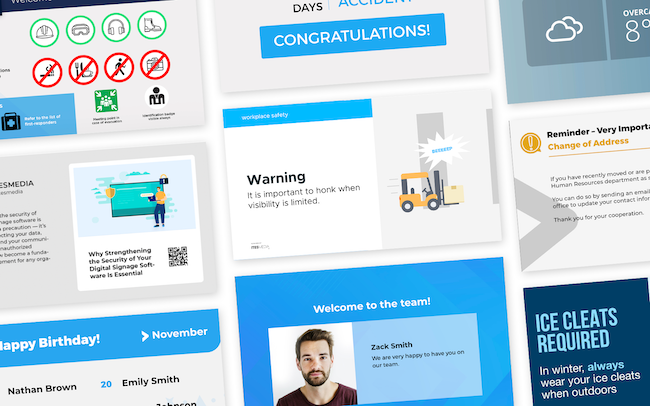
An extensive image bank is included in the platform
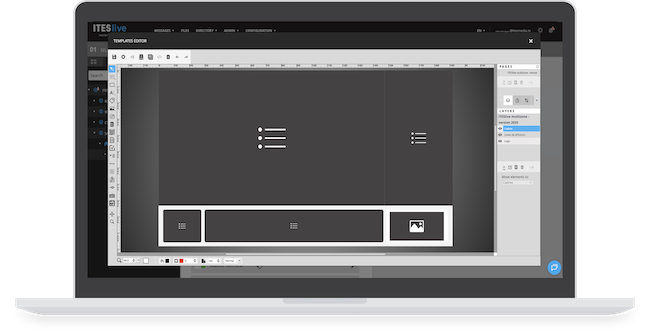
The Image below shows the zone template editor


Editeur_3_Fr

11. SCREEN LAYOUT EDITOR (MULTIZONE DISPLAY)

INCLUDED WITH: STARTER, PRO AND PREMIUM

The screen layout editor allows users to create new models or edit existing models.

The Image below shows the zone template editor

Laptop_sanszones

The Image below shows the zone template editor

Laptop_fulldisplay


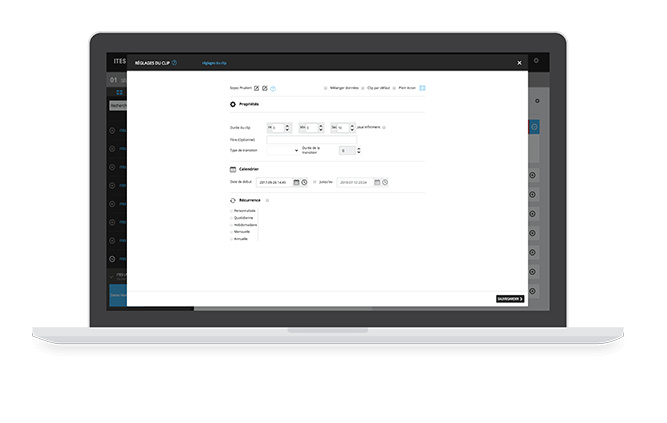
L’image ci-dessous montre l’éditeur de clips

Settings_Clip_Fr

12. CLIP CONFIGURATION (CALENDAR, TRANSITION, PRIORITY, DURATION)

INCLUDED WITH: STARTER, PRO AND PREMIUM

The clip editor serves to define the properties of the clip, the transition type and the play length are exemples of theses properties. Also, the broadcast scheduler makes it easy to manage the network in a way to always show relevant information at the right time without any effort.
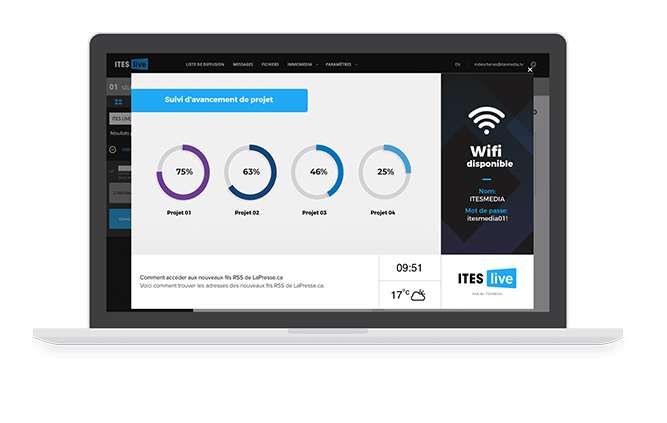
13. INDIVIDUAL OR GROUP SCREEN MANAGEMENT

INCLUDED WITH: STARTER, PRO AND PREMIUM

Using playlists, it is possible to manage the content of a screen, a set of screens or an entire network of screens.

14. SCREEN ON/OFF SCHEDULE

INCLUDED WITH: STARTER, PRO AND PREMIUM

The display on/off schedule enables users to set up active hours for the displays.

15. BANDWIDTH

INCLUDED WITH: STARTER, PRO AND PREMIUM

All plans have access to 10 GBytes of bandwidth per month.

The ITESlive system includes a bandwidth tracker, which estimates bandwidth use based on the programmed display settings when the tool is launched. A bandwidth report is also available on the ITESlive Studio.

* An additional charge of 0.25$ applies for each additional GByte.

16. DATA STORAGE

INCLUDED WITH: STARTER, PRO AND PREMIUM

There are no restrictions on the volume of media you can upload to the platform.

Preview_Fr

17. LIVE PREVIEW

INCLUDED WITH: STARTER, PRO AND PREMIUM

Once you have added content to the various zones, you can preview the entire display.

When creating a message, there is a real-time preview of the content being edited that is displayed to the right of the message creation window. This allows the user to obtain a visual of the final result of the message being created without having to leave the modification window.
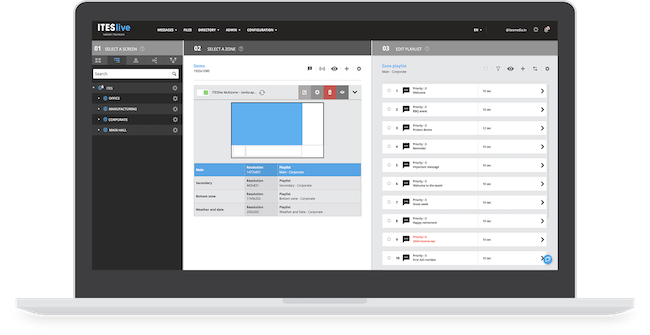
Image_126-1

18. PLAYLIST

INCLUDED WITH: STARTER, PRO AND PREMIUM

What is displayed on screen is defined by the content of the playlist. This can include various content types such as images, messages, RSS feeds, weather information and so forth. Every piece of content added to a playlist is referred to as a clip. Clips run one after another, just like a music playlist. Playlists make it possible to manage the content for a set of screens or an entire network, without having to reprogram each screen individually.
19. TIME AND DATE

INCLUDED WITH: STARTER, PRO AND PREMIUM

Every plan offers the possibility to display the time and the date, which is proven to be a good, simple eye catcher for all audiences.

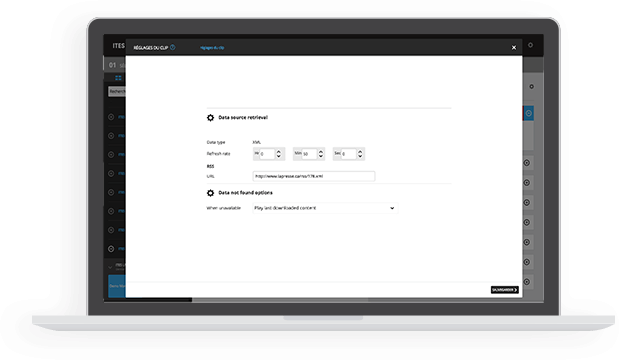
The image below shows the page to manage RSS Feed

rss

20. RSS FEEDS

INCLUDED WITH: STARTER, PRO AND PREMIUM

STARTER, PRO and PREMIUM plans offer the possibility to display one or more RSS feed. RSS feeds are proven to be good, simple eye catchers.
21. WEATHER FORECAST

INCLUDED WITH: STARTER, PRO AND PREMIUM

STARTER, PRO and PREMIUM plans offer the possibility to display the weather forecast of the user location. The weather forecast is a good and simple eye catcher.

Youtube_Fr

22. YOUTUBE AND VIMEO

INCLUDED WITH: STARTER, PRO AND PREMIUM

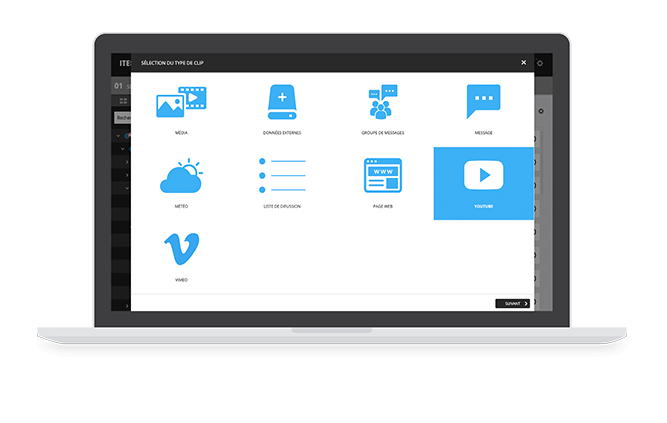
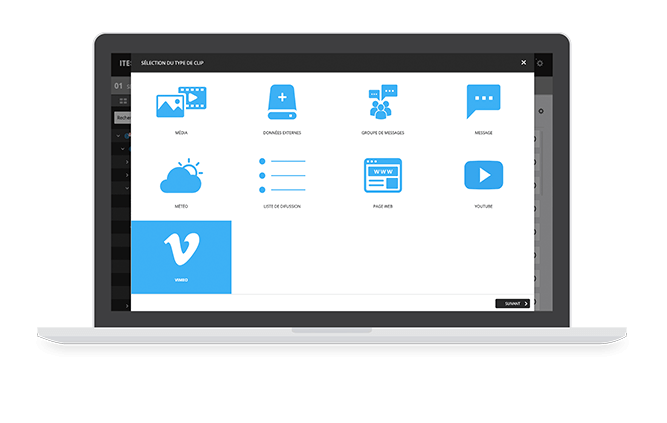
Play Vimeo and YouTube videos on your screens. Simply enter the URL in the designated field.
Vimeo_FR

23. IMAGES AND VIDEOS

INCLUDED WITH: STARTER, PRO AND PREMIUM
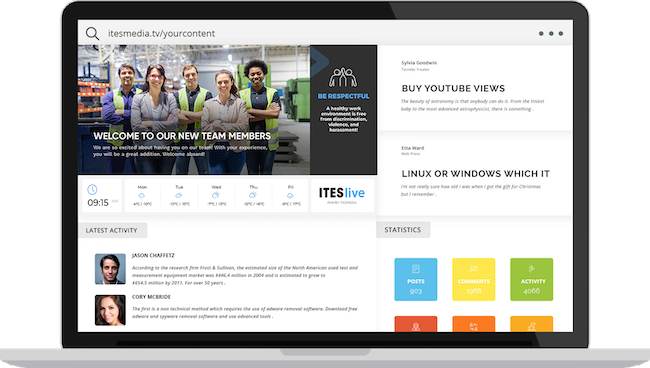
Each plan offers the possibility to add images and videos in ITESlive’s studio. These can be broadcasted on the screens.

24. SCREEN SAVER

INCLUDED WITH: STARTER, PRO AND PREMIUM
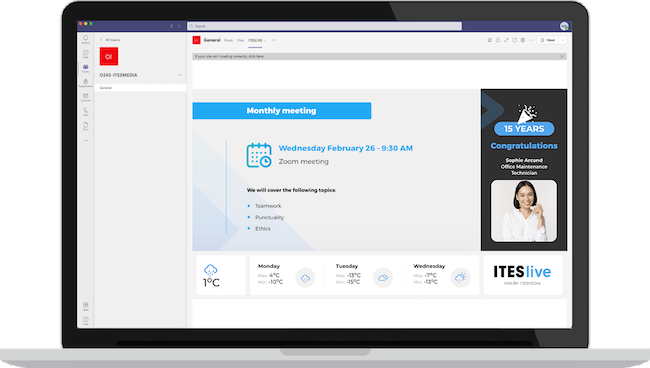
reunion-mensuelle

25. MICROSOFT TEAMS

INCLUDED WITH: STARTER, PRO AND PREMIUM

Intranet_Laptop_FR

26. WEB SHARING

INCLUDED WITH: STARTER, PRO AND PREMIUM

27. SINGLE SIGN ON (SSO)

INCLUDED WITH: STARTER, PRO AND PREMIUM

Possibility of logging in with Google, LinkedIn, Microsoft and Entra ID.

28. MULTILINGUAL DISPLAY MODULE

INCLUDED WITH: PRO AND PREMIUM

Notably, it is possible to manage the distribution of multilingual content within the same message without having to create a duplicate message.

29. OAuth2/OpenID (EX. Entra ID)

INCLUDED WITH: PRO AND PREMIUM

The ITESlive Studio enables integration with a OAuth2/OpenID provider (e.g., Entra ID), which enables you to use existing user accounts instead of having to create new accounts by using their email address as their credentials. You can also assign an ITESlive Studio role to a Group of your OAuth2/OpenID provider.

30. ADVANCED DISTRIBUTION MODULE (PLAYERS, SITES, GROUPS AND TAGS)

INCLUDED WITH: PRO AND PREMIUM

The advanced distribution module helps centrally manage the content displayed on screens regardless of the source. Users can share distribution lists and all types of clips on specified screens. It is also possible to create tags to custom manage content deployment.

31. MESSAGE MODULE

INCLUDED WITH: PRO AND PREMIUM

Easily create communications with message clip templates. Simply select the desired clip message and type in your text

32. TEMPLATE BANK INCLUDED

INCLUDED WITH: PRO AND PREMIUM

A template bank is included with the software. Choose any template you like and use it as is, or you can customize it. You can seamlessly create and edit templates with the content template editor.

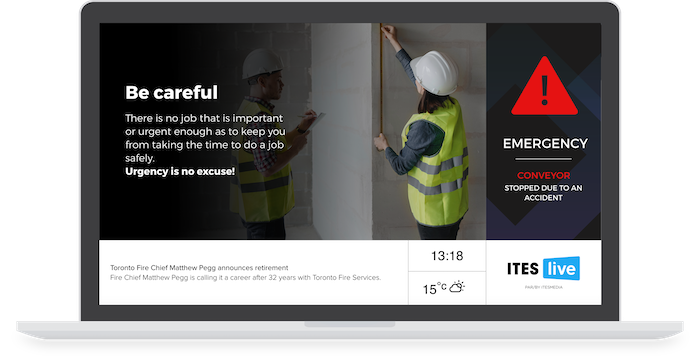
33. EMERGENCY MESSAGE

INCLUDED WITH: PRO AND PREMIUM

Pro and premium plans offer the possibility to set up an emergency message. This type of message is easy to activate, or it can be activated automatically under predefined conditions.

EN_Facebook

34. FACEBOOOK

INCLUDED WITH: PRO AND PREMIUM

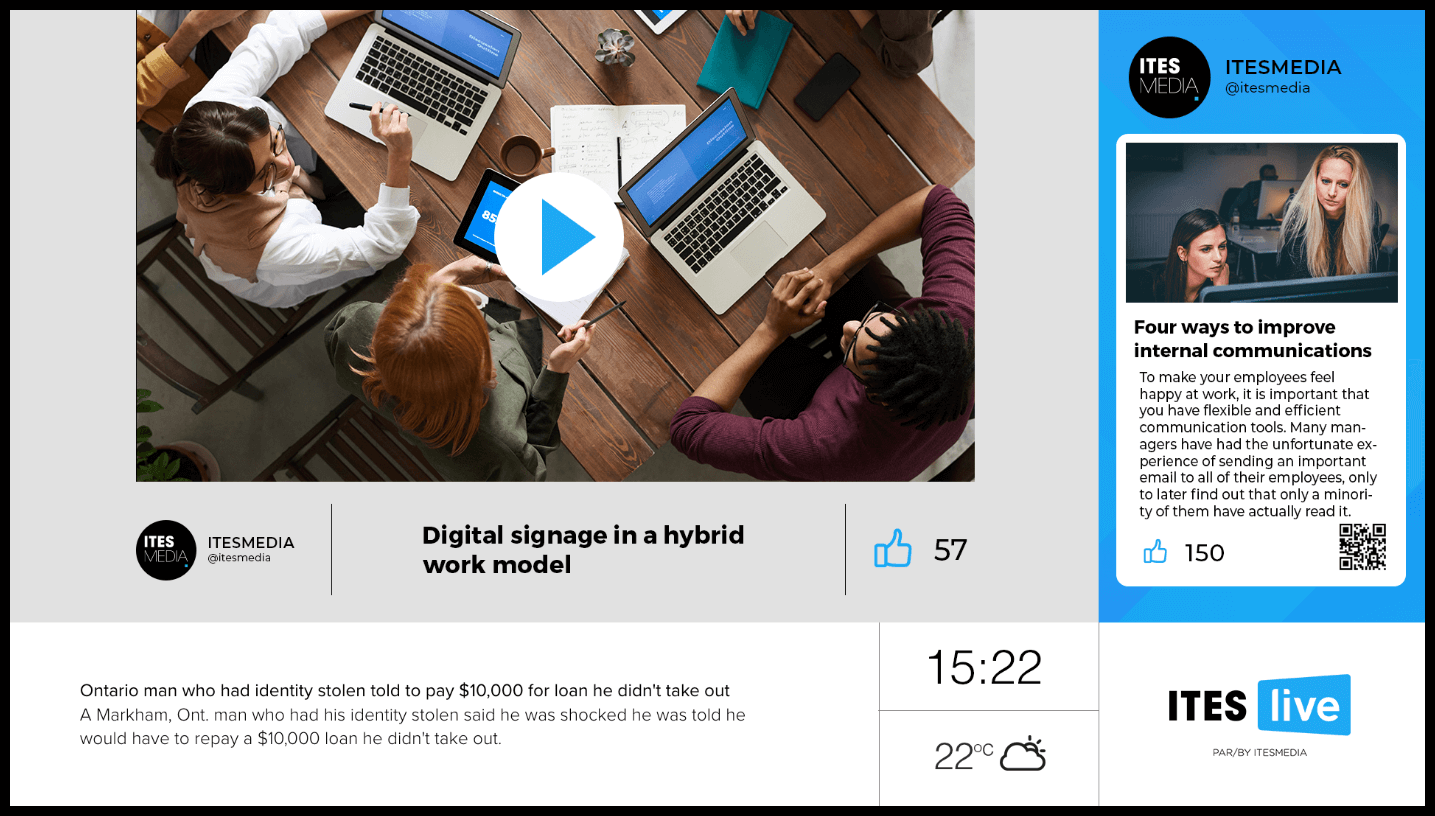
This feature allows you to automatically display your Facebook page publications and the number of likes associated; It also allows you to display Facebook page reviews. Several visuals are available in the ITESlive software.
35. LIVE STREAMING

INCLUDED WITH: PRO AND PREMIUM

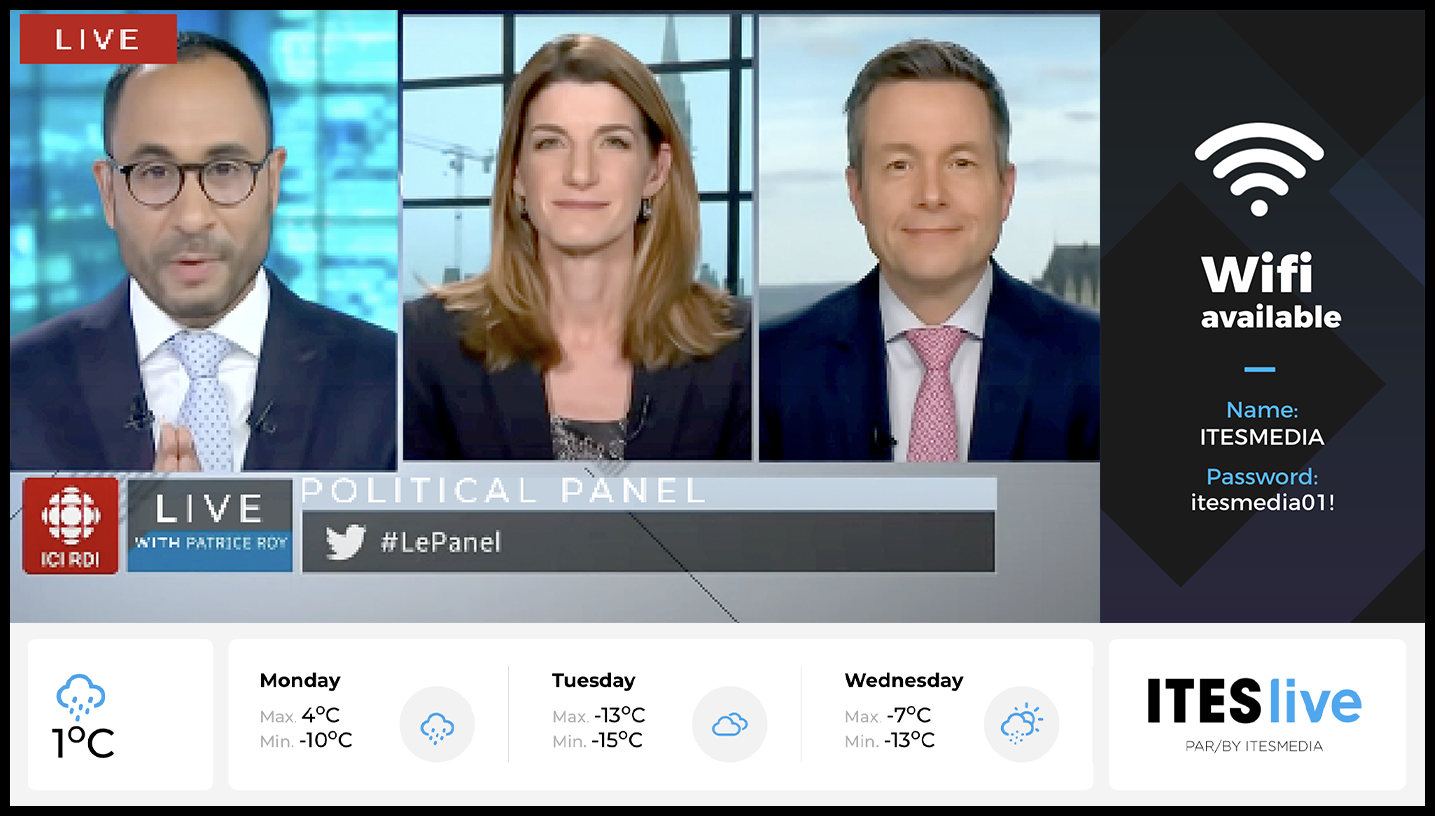
The Live stream feature lets you share content from a “live” on your display. For example, you can share a Teams live stream.

36. CONTENT TEMPLATE EDITOR AND DISPLAY RULES

INCLUDED WITH: PRO AND PREMIUM

The content template editor and display rules let users create new templates and modify existing ones. A template defines how content is displayed in a given zone. Each template can be assigned a title, a paragraph and a date. Templates make it easier to post new content, ensure the consistency of messages of the same nature and enjoy a high level of flexibility. There are several ways to create templates, from building them around static elements to integrating external data. The editor can also be used to set display rules that will determine how the template information is deployed. This can be based on the content of a user-configurable field or external data, as the case may be.

Real estate (clip template) – This template includes information that is automatically pulled from an authorised real estate feed.

Message (clip template) – The information in this template will be entered by the users in the Web Studio.

External data (clip template) – This type of template allows you to integrate information produced outside the Web Studio such as RSS feeds, Excel documents, XML files, etc.

Weather (clip template) – This template allows you to integrate real-time weather information.
Directory (clip template) – This template includes a look up list ( building tenants, staff names, office locations…) Which is entered by users in the Web Studio.

Urgent Message (clip template) – This template is used in an emergency situation; the content of the message is prioritized and is displayed seconds after being activated.

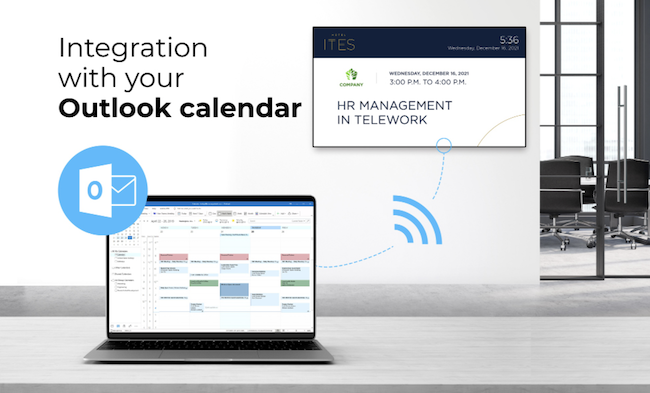
Room schedule (clip template) – This template includes the room reservations and the tenants occupying the rooms. Both the tenant information and reservations are added by the users in the Web Studio.

Menu (clip template) – This template includes menu information that is created by the users of the Web Studio